
Task template · Operations & sales
Clean up messy data
Fix duplicates, formats and typos. Made from one message, so you can get your own in minutes.
Clean up messy data
- Uses
- FilesCodeSheets
- You need
- Attach a CSV or Excel file
Prompt: Clean the attached [contacts list or data file]: remove duplicates, fix capitalization, standardize [dates, phone numbers, countries], flag rows with missing [required fields], and put the cleaned data in a new Sheet with a tab listing every change you made.
Fix duplicates, formats and typos. For Operations & sales.
The prompt
Clean the attached contacts export from the Harbor & Pine spring trade show, 214 rows: remove duplicates, fix capitalization, standardize signup dates to YYYY-MM-DD, phone numbers to international format with country code, country names to 2-letter codes, flag rows with missing email address or phone number, and put the cleaned data in a new Sheet with a tab listing every change you made.
You need: Attach a CSV or Excel file
Uses: Files, Code, Sheets
Make it yours
- Change the details in the prompt to fit operations & sales.
- Ask for edits in plain words: tone, colors, length, layout or data.
- Share the result by link or export it when you are done.
More task templates
Browse all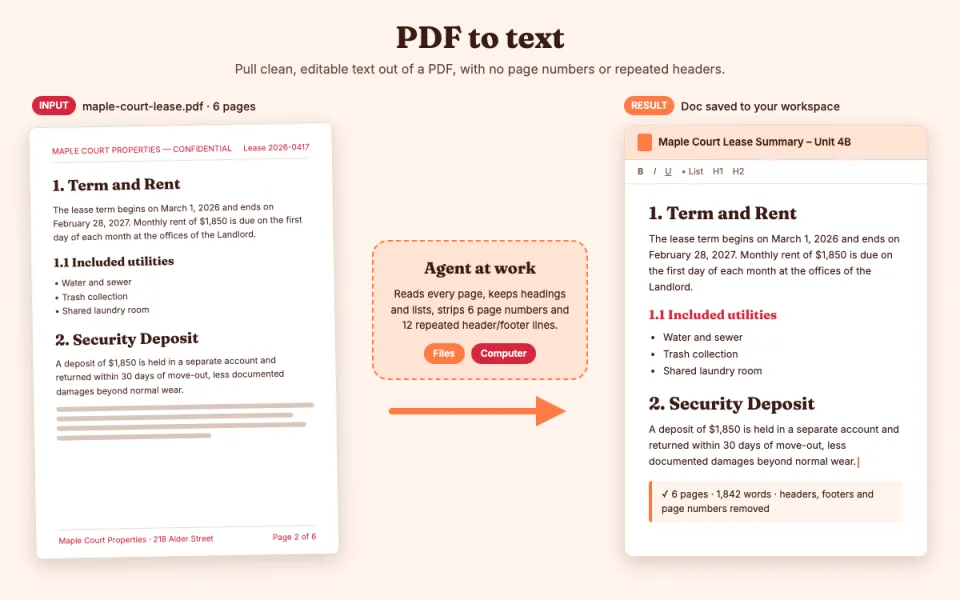
PDF to text
Pull clean, editable text out of a PDF
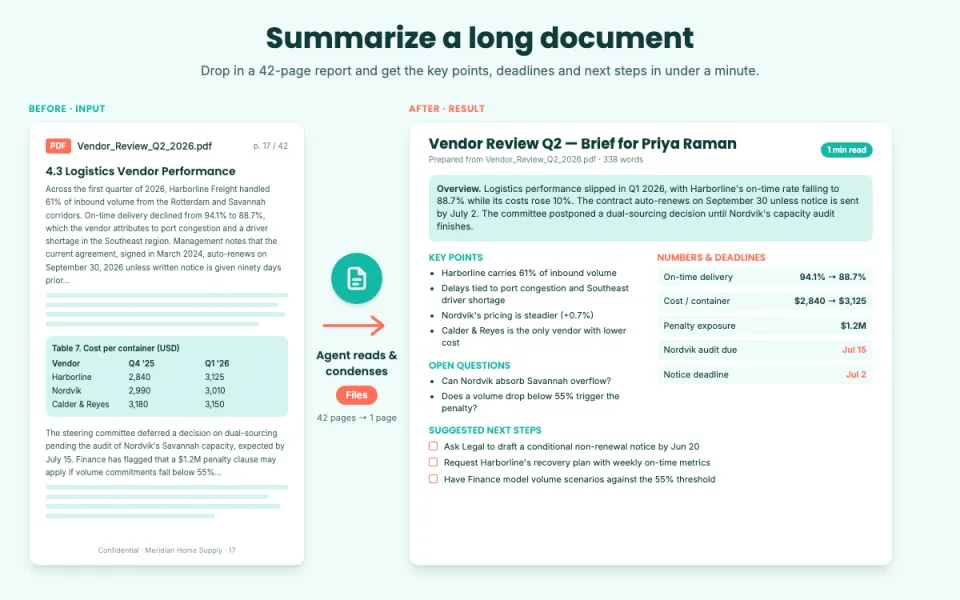
Summarize a long document
Key points, decisions and action items
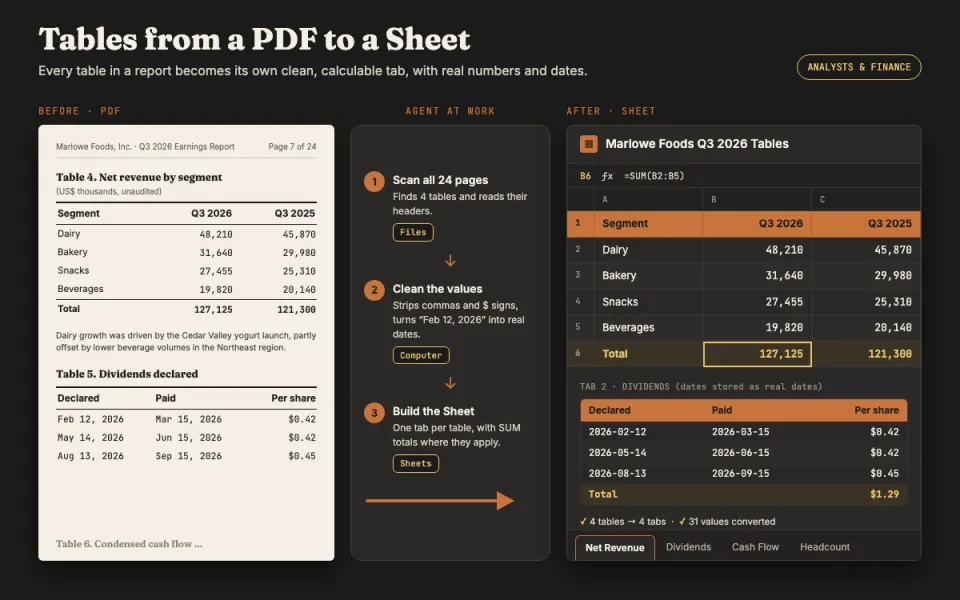
Tables from a PDF to a Sheet
Turn report tables into a spreadsheet
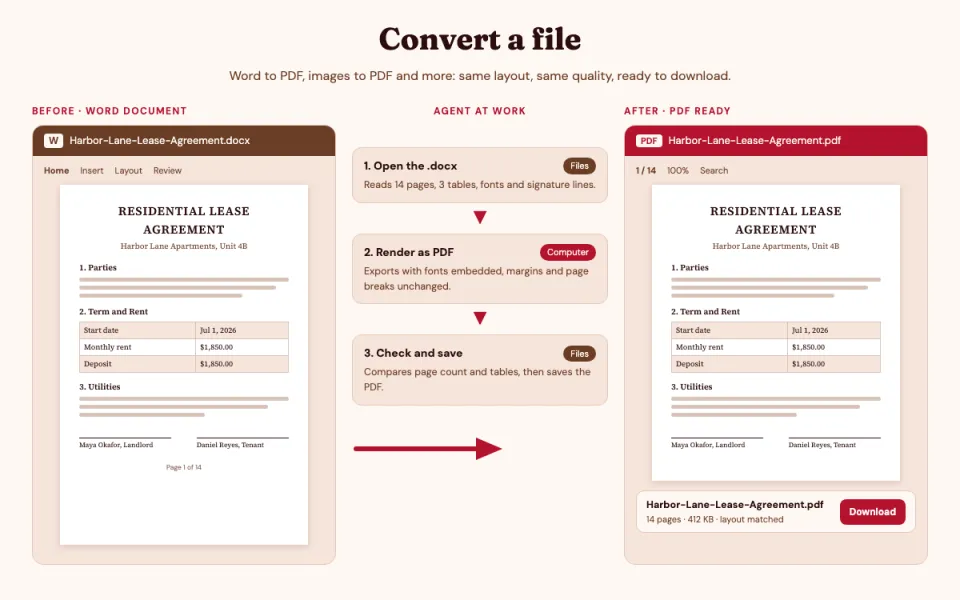
Convert a file
Word to PDF, images to PDF and more
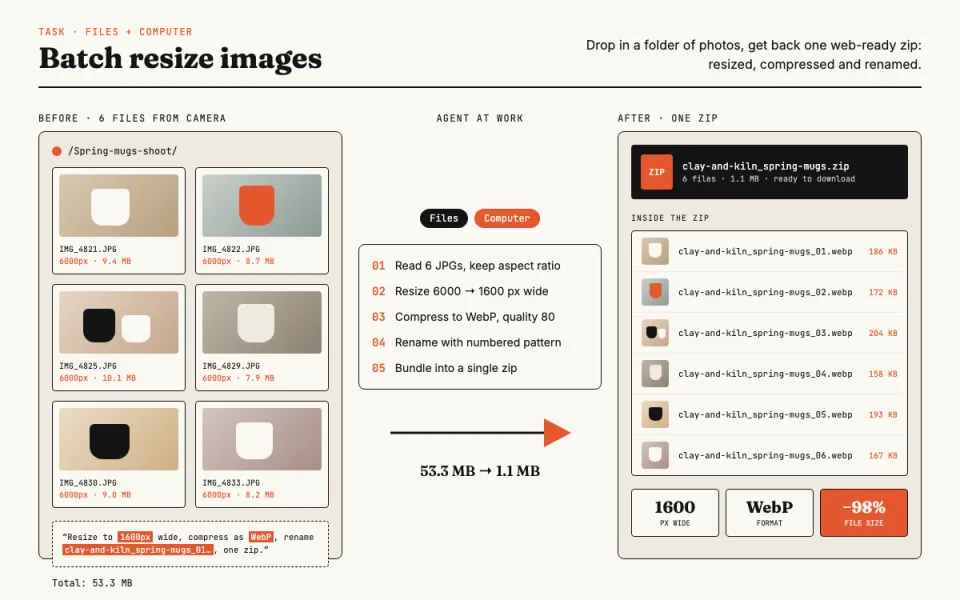
Batch resize images
Resize, compress and rename photos
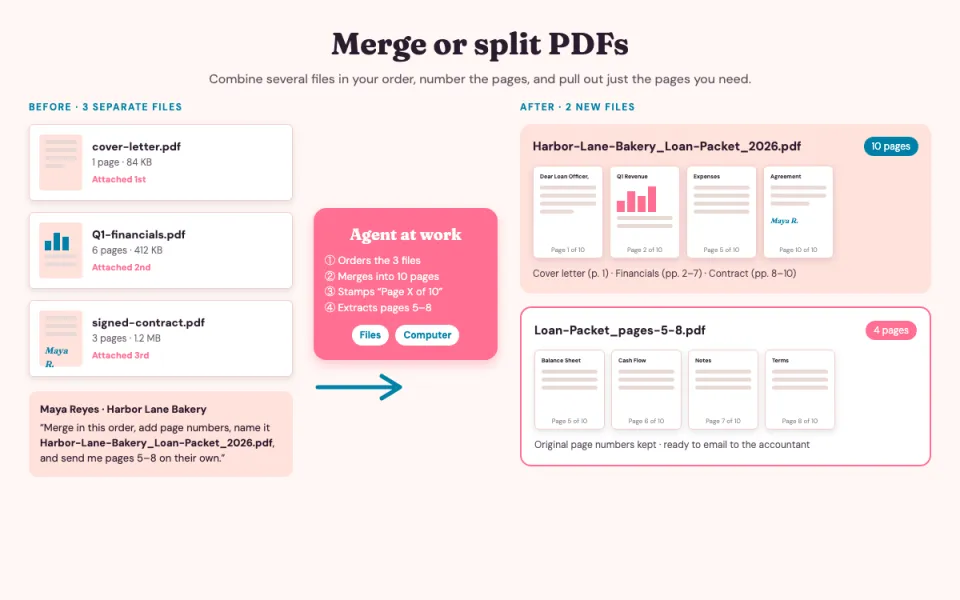
Merge or split PDFs
Combine files or pull out pages